
In development · Coming soon
Inventory Manager
Know what you’ve stocked, where it is and when to check it.
Inventory Manager is a desktop app for household emergency supplies. Give each cupboard, storage box or grab bag its own stock list. When you check your kit, you can see how much water you’ve logged, where the spare batteries are and which supplies are due for replacement.
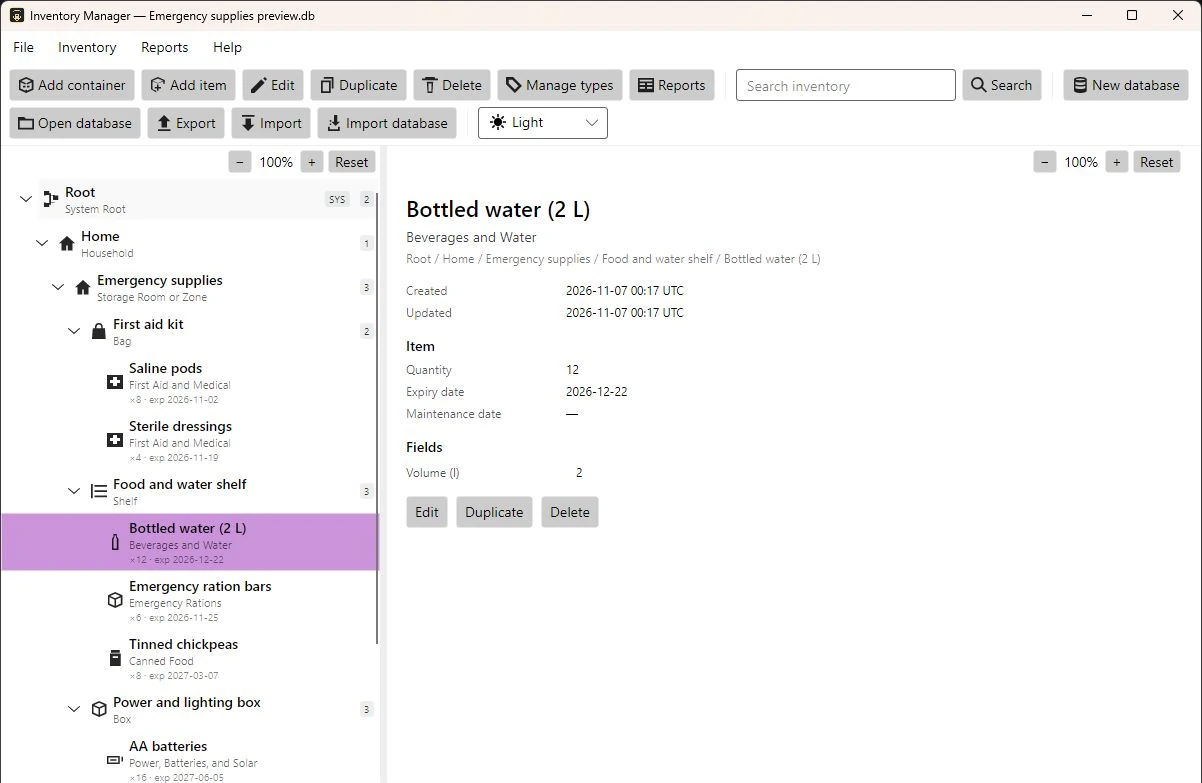
Inside a sample household inventory
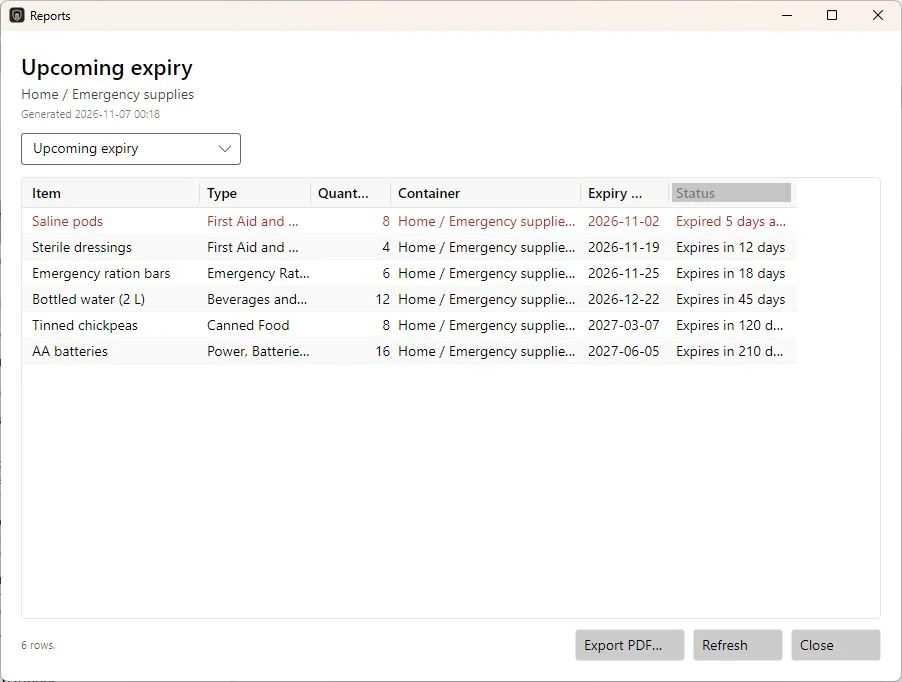
This is an example of how Inventory Manager organises a fictional household’s supplies and reports on expiry dates. Select either screenshot to view it at full size.
Check your stock and plan what’s due
Check one kit or cupboard at a time, including any boxes stored inside it, or run a report across your whole inventory. Save any report as a PDF to print or share.
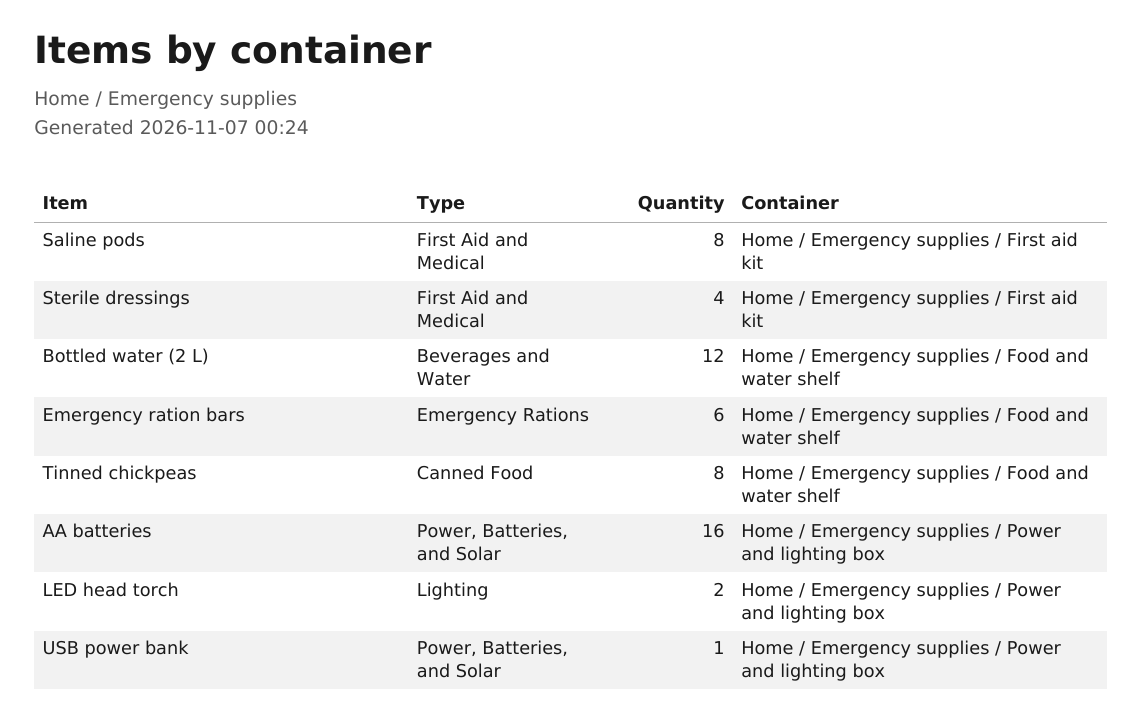
- Items by container gives you a stock list with quantities, item types and storage locations. Print it and tick off what’s packed in your grab bag.
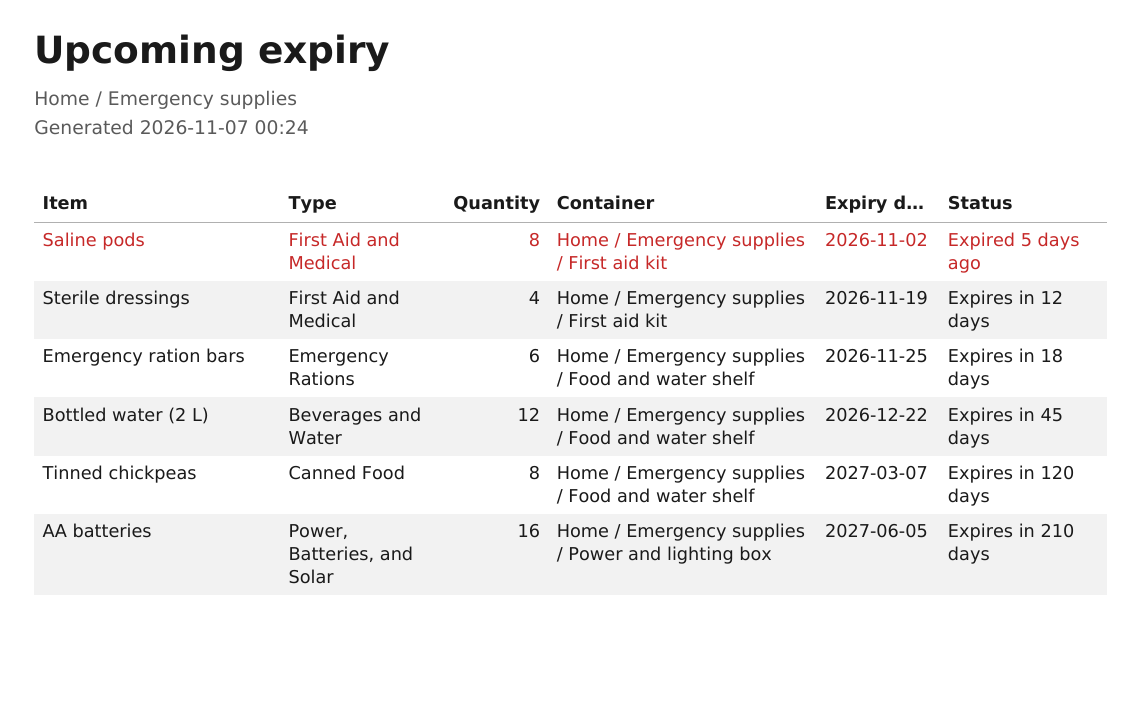
- Upcoming expiry shows expired supplies first, followed by those closest to expiry. Use the dates you’ve recorded to decide what to rotate or replace first.
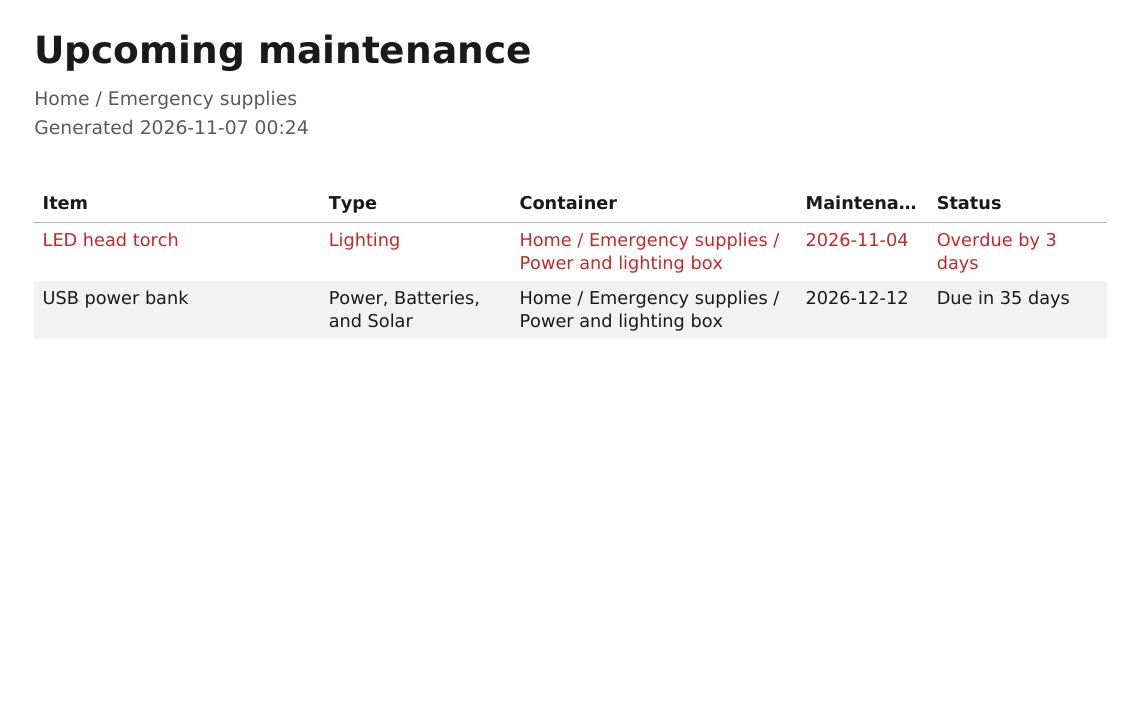
- Upcoming maintenance puts overdue checks at the top. See which torch is due for a test or when you planned to recharge your power bank.
PDF export previews
These cropped previews show what the app exports for the sample household inventory. Select a preview to see the table at full size.
What you can do
Find supplies by name or location
Organise supplies the way you store them, with boxes on shelves and kits inside cupboards. Search for an item to see where you put it.
Record the details that matter
Enter quantities and add expiry or maintenance dates where they apply. Create your own item and container types with fields for details such as battery size.
Keep instructions with the kit
Save a packing checklist inside a grab bag’s record, or attach a power bank’s manual to the box where you store it.
Check your inventory offline
Open your inventory on your computer without an account or internet connection. Keep separate inventory files and transfer records using JSON Lines export and import.
Start with an official preparedness checklist
The UK Government’s Be Ready campaign encourages households to check what they already have, build up supplies gradually and review them regularly. Use the guidance for where you live to decide what your household needs. Then use Inventory Manager to record what you stock as you go.
- UK Government Be Ready checklist
- Northern Ireland household emergency kit guidance from nidirect
- Ireland’s Be Emergency Ready guide (PDF)
- New Zealand’s Get Ready household supplies guide
Alongside official guidance, YouTube’s prepping community shares practical ideas for organising supplies and preparing for everyday disruptions.
- UK Preppers Guide on practical preparedness for British households (YouTube)
- City Prepping’s pantry stock checklist (YouTube)
I’ve included these links for further information only. Inventory Manager has no endorsement from the organisations or creators listed, and Protoworks has no affiliation or sponsorship arrangement with them.
Interested in Inventory Manager?
I’m developing the app now. If you have a question or already have a way of checking your supplies, I’d like to hear what you’d want the app to help with.