
Demos & Tools
Experience Protoworks development first-hand. These are live interactive demonstrations that showcase the practical Protoworks approach to software and hardware solutions. Each one has its own page covering what it does, how it works and where its limits are. Please note that while these demos may prove useful in daily workflows, they are intended primarily as capability demonstrations rather than full, production-ready SaaS products.
Gerber Viewer (Beta)
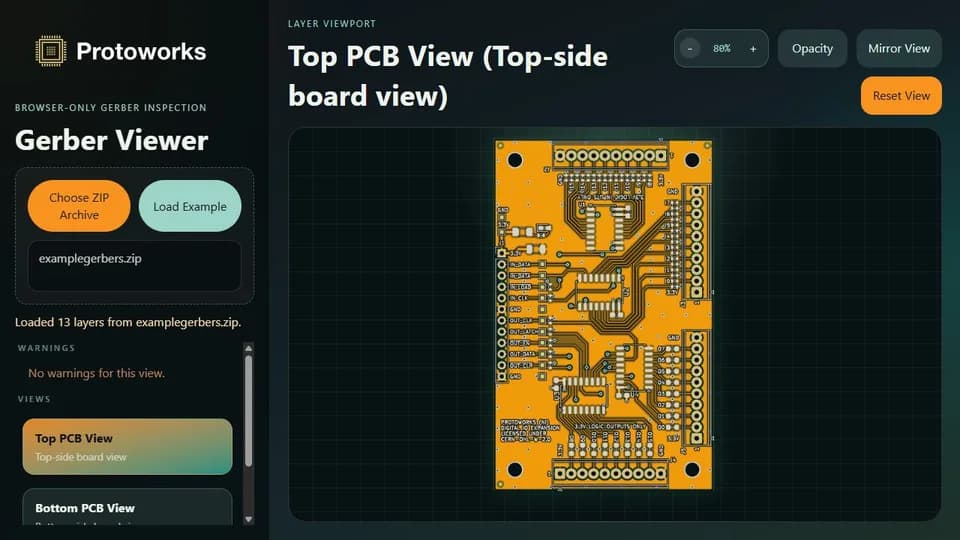
Open a Gerber ZIP archive locally and check PCB copper, mask, silkscreen and drill layers before fabrication. Gerber and Excellon files are converted to SVG in a Web Worker, with individual layers, Top and Bottom composite views, deep zoom and a warnings panel.
G-Code Viewer (Beta)
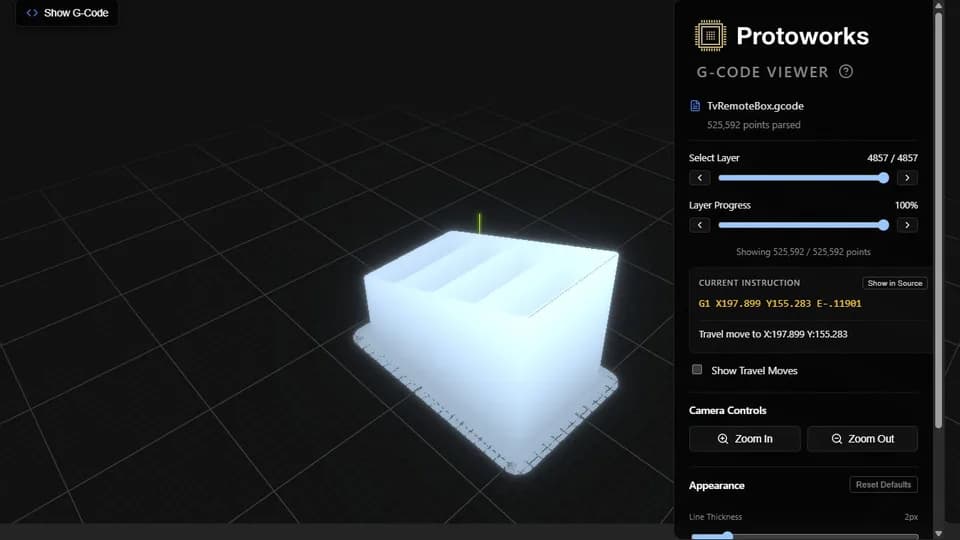
Choose a .gcode file or load the bundled example and inspect the toolpath in 3D before printing. Extrusion moves render in blue and travel moves in orange by default, a playback slider steps through the print, and files of up to 50 MB can be opened.
Calculation Workbench (Beta)
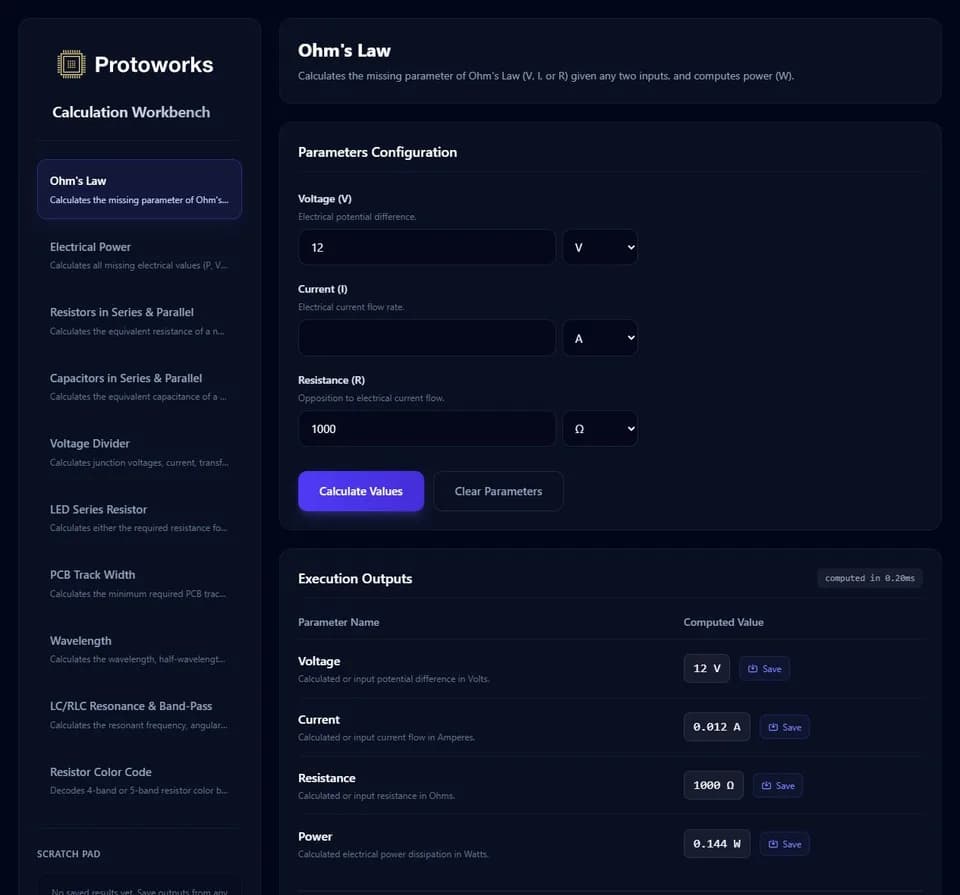
A browser calculator for everyday electronics: Ohm's law and power, resistor and capacitor series and parallel networks, resistor colour codes, voltage dividers, LED series resistors, IPC-2221 track width, wavelength and LC or RLC resonance. Press Calculate Values for a result and its worked steps, and every value stays on your device.
QR Code Creator (Beta)
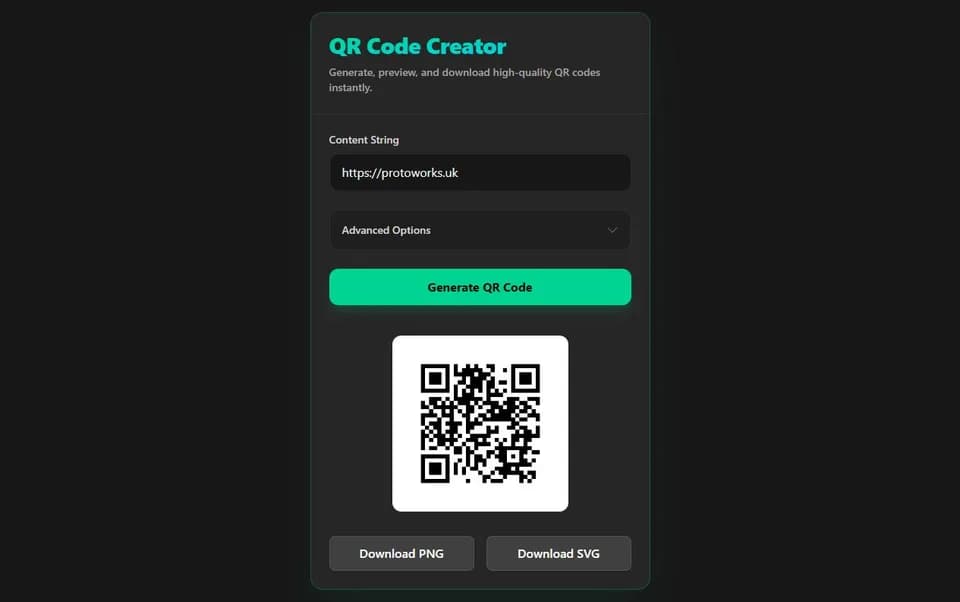
Generate a QR code from any text or URL, then style it with your own foreground and background colours, quiet-zone margin, logo and error-correction level. Press Generate QR Code and the code is built locally in the browser with no server round trip for the encoded content, then export a PNG or an SVG.
What these demos demonstrate
All four tools work the same way: the file or value you give them is processed in your browser, with no upload to a server. That is partly a privacy choice and partly a demonstration of how much a modern browser can carry. A Gerber archive is converted to SVG in a Web Worker, a large G-code toolpath is drawn through Three.js, and the calculator returns its working rather than only an answer.
They are interface exercises as much as engineering ones. Each has to stay usable while it holds something large, so the loading states, zoom and playback controls, and the deliberately short list of options on screen matter as much as the arithmetic underneath.
That same approach, applied to a real workflow, is what I build for clients. The software solutions page sets out the larger applications, portals and APIs.